Step into the AI-guided virtual studio. Generate tracks in seconds and refine them section by section in your browser, with the control of a professional engineer.
Free to start, no card required.
Real exampleEngine 1 · Italian
Real exampleEngine 1 · English
Real exampleEngine 2 · Italian
Real exampleEngine 2 · English
Not just another music generator
The features that make Music Studio Pro unique in its category.
Continuation Engine: finish a half-written lyric
Wrote one verse and stuck on what comes next? The AI reads exactly where you left off and continues in your own style, not from scratch — no other generator does this.
Hum your idea into a song
Got a melody in your head but can't play it? Hum or whistle it into the mic: the AI turns it into a full track, faithful to your original idea.
Targeted editing and track regeneration
Not convinced by how the song is structured? You don't have to start over. Isolate and regenerate only the audio section you want to change, leaving the rest of the song untouched.
Vocal and instrumental overdubbing (AI overdubbing)
Record or upload a real voice over the generated backing track. Perfect for adding custom melodic lines, backing vocals or solos played on real instruments.
Stems split into up to 12 tracks
Isolate vocals, drums, bass, synths and more from any generated track, ready to import into your DAW for the final mix.
Export a real Ableton Live project
Not just audio: one click downloads an .als project with every track already colored and ready in Ableton, plus MP3, WAV, a PDF spec sheet, and MIDI chords.
Advanced AI music generator
Use our AI music generation algorithm to bring your ideas to life. Type a text prompt, pick the genre and get a complete arrangement in seconds.
AI ghostwriter
Lyrics, hooks, concepts and production breakdowns written by an AI trained on real songwriting craft — not machine translations.
No take ever lost
Every generation saves every version produced: compare takes, star your favorite, and keep them archived forever.
Cloud projects
Every session saves automatically. Pick up where you left off from any computer, without losing lyrics, chords, or generated audio.
Total creative control
Duration, energy, atmosphere, artist reference, and director's notes: every generation reflects exactly the direction you want for the track.
31-band graphic equalizer
Bass, mid, and treble aren't enough: shape the full spectrum (20Hz-20kHz) with 31 professional faders and a live meter that reacts to the music in real time, band by band. Download the equalized track as MP3 or WAV — free, even on the Free plan, no tokens spent.
INCLUDED IN YOUR PLAN
Already have your song? We'll work the project for you
You have the track in hand and you'd rather someone else worked it up? Send it over and we take it from there: you get it back finished. No extra cost, no tokens to spend.
For subscribers only.
NOT JUST AN AUDIO FILE
Your track opens in Ableton Live, already laid out
With Engine 1 you download a real .als project, not a folder of files to sort out by hand: 12 separate stems, every track named and colour-coded, section markers in the right place and the mixer already set. Open it and carry on from where the AI stopped.
Scroll the image sideways to read every track.A project exported from Music Studio Pro, open in Ableton Live 12: section markers (Intro, Verse, Chorus, Breakdown, Instrumental, Outro) and the 12 separate stems — vocals, backing vocals, drums, bass, guitar, keys, percussion, strings, synth, FX, brass and woodwinds.
Workspace
Get your hands on it
Regenerate just the part you don't like, without redoing the track.
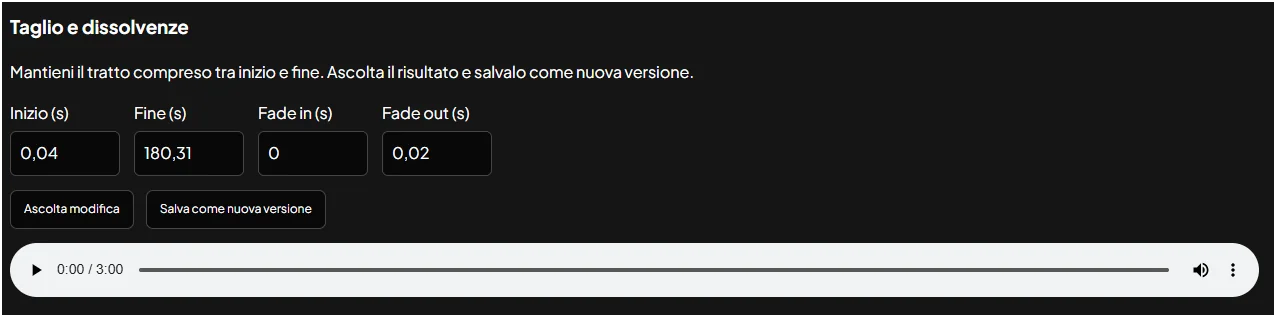
Trim the start and end, add fades and save it as a new version.
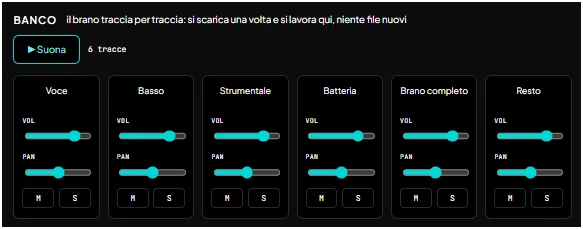
With Engine 2: the separated tracks can be played and mixed right in the page (volume, pan, mute, solo), then downloaded to take into any DAW.
Listening
Hear it like in the studio
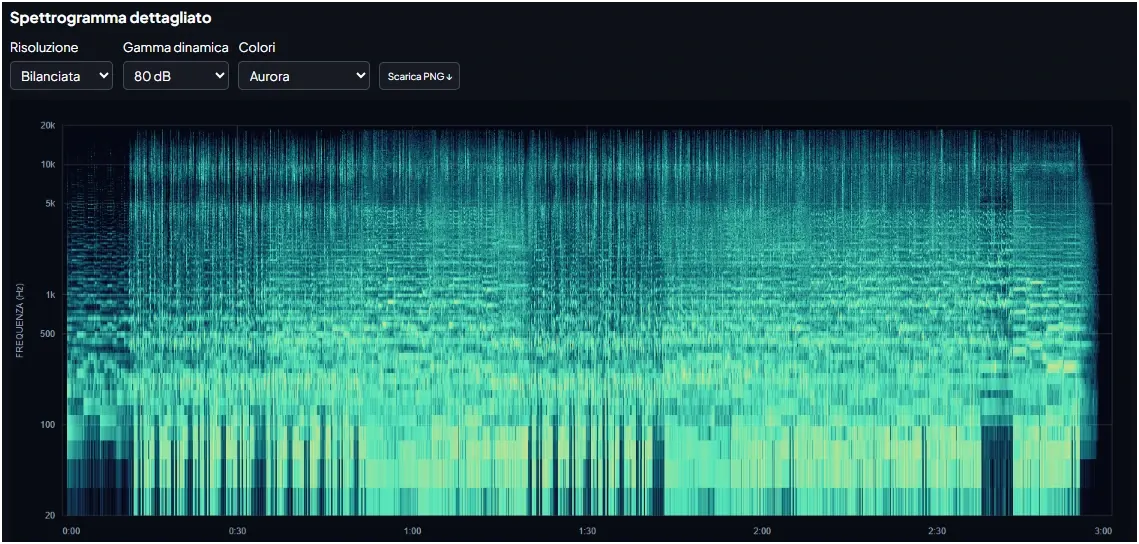
Detailed spectrogram of the whole track, downloadable as PNG.
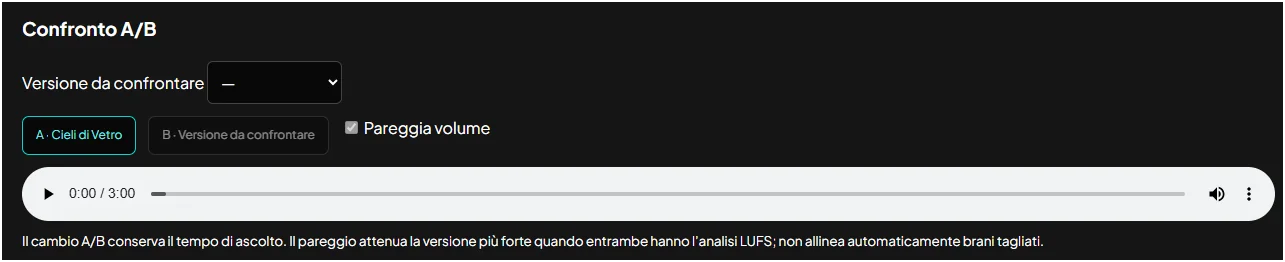
A/B comparison between two versions, at the same point and loudness-matched.
Loudness (LUFS), peaks and silences measured on the file.
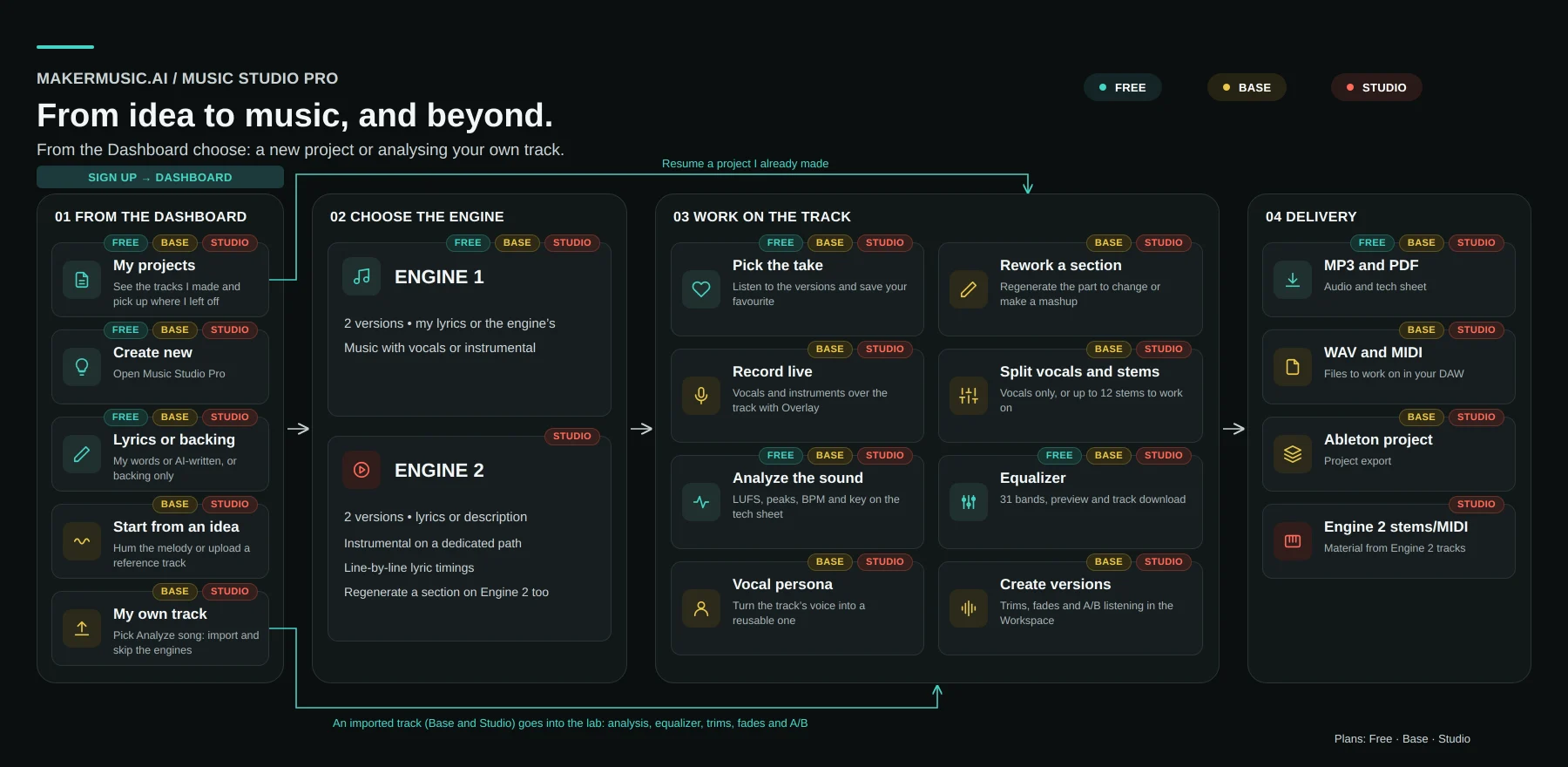
Scroll the image sideways to read the whole diagram.
PRICING
A plan for every stage of your project
Start free. Upgrade whenever you need more volume.
Free
Try the platform, no commitment.
€0forever
15 generations / month
On Engine 1, which delivers two versions for every generation
10 saved projects
20 AI lyrics/concepts per month
Multi-take gallery + favorite
MP3 download
PDF spec sheet export
RECOMMENDED
Base
For consistent producers.
€12/ month
600 tokens / month
Up to 50 tracks on Engine 1, two versions each. Spend the tokens however you want: every action costs in proportion to its real cost.
Everything in Free, plus:
Unlimited projects
300 AI lyrics/concepts per month
Stems split into up to 12 tracks, ready for your DAW
Project export for Ableton Live
Uncompressed WAV master
Regenerate a single section of a track
AI Mashup and tracks built from a reference recording
Overlay Recorder: record real vocals and instruments over the backing track
Analyze your song: upload your own track and measure it
Workspace: trims, fades and A/B listening
Chords as MIDI
Vocal persona taken from one of your tracks
Studio
For teams and professional production.
€25/ month
1,250 tokens / month
Up to 104 tracks on Engine 1, or 83 on Engine 2.
Everything in Base, plus:
Engine 2: superior generation quality, 2 versions per track
Stems and MIDI files from Engine 2 tracks
Line-by-line lyric timings
Regenerate a section on Engine 2 tracks too
800 AI lyrics/concepts per month
Secure payment handled by Stripe. Cancel your subscription anytime from the Dashboard.
FAQ
Frequently asked questions about making music with AI
Answers to what people ask us most about generation, overdubbing, stems and export.
How can I create a song with artificial intelligence for free?
With Music Studio Pro by MakerMusic AI you can start generating tracks, backing tracks and lyrics for free with the monthly credits included in the trial plan: the Free plan covers 15 audio generations per month, 20 AI lyrics or concepts, 10 saved projects and MP3 download. Just create an account, describe the song you have in mind and start the generation.
Can I use AI-generated music commercially?
We place no usage restrictions on the tracks you generate with your account: you can release them on Spotify, YouTube and TikTok, or use them as the soundtrack of your own video projects. Two honest caveats, as stated in our Terms of Service: copyright law for AI-generated content is still evolving and differs from country to country, so we cannot guarantee a track is registrable as an authored work with a collecting society, and checking its legal status before a commercial release is up to you.
What can I do after generating a song?
Music Studio Pro is a full post-production console: it lets you edit a single section, export separated stems up to 12 tracks, and overdub real human vocals on top of the generated base.
Analyze your song. Hear what changes.
Bring your own recording or a version edited in your DAW. MakerMusic saves it to your project and helps you inspect the sound, edit it and compare the result with the original.
For Base and Studio subscribers only. Not available on the Free plan.